There is a reliable way to make any promising technology feel like homework: tell people they can use it only while sitting upright at a laptop.
For much of its short life, OpenClaw had a little of that problem. The assistant could do astonishing things on the machine running its Gateway, and it could answer through familiar messaging channels, but its relationship with the phone in your pocket still felt slightly indirect. You could talk to the brain, certainly. You could not always make full use of the eyes, ears, screen, location, and wonderfully impatient human attached to the phone.
The July 2026 releases change that equation. OpenClaw 2026.7.1, released on July 13, brought substantial updates to the official iOS, iPadOS, Android, and macOS apps alongside a redesigned Control UI. The release notes contain hundreds of changes, but the larger story is simple: mobile is becoming a first-class place to use an agent, not merely a tiny remote control for one.
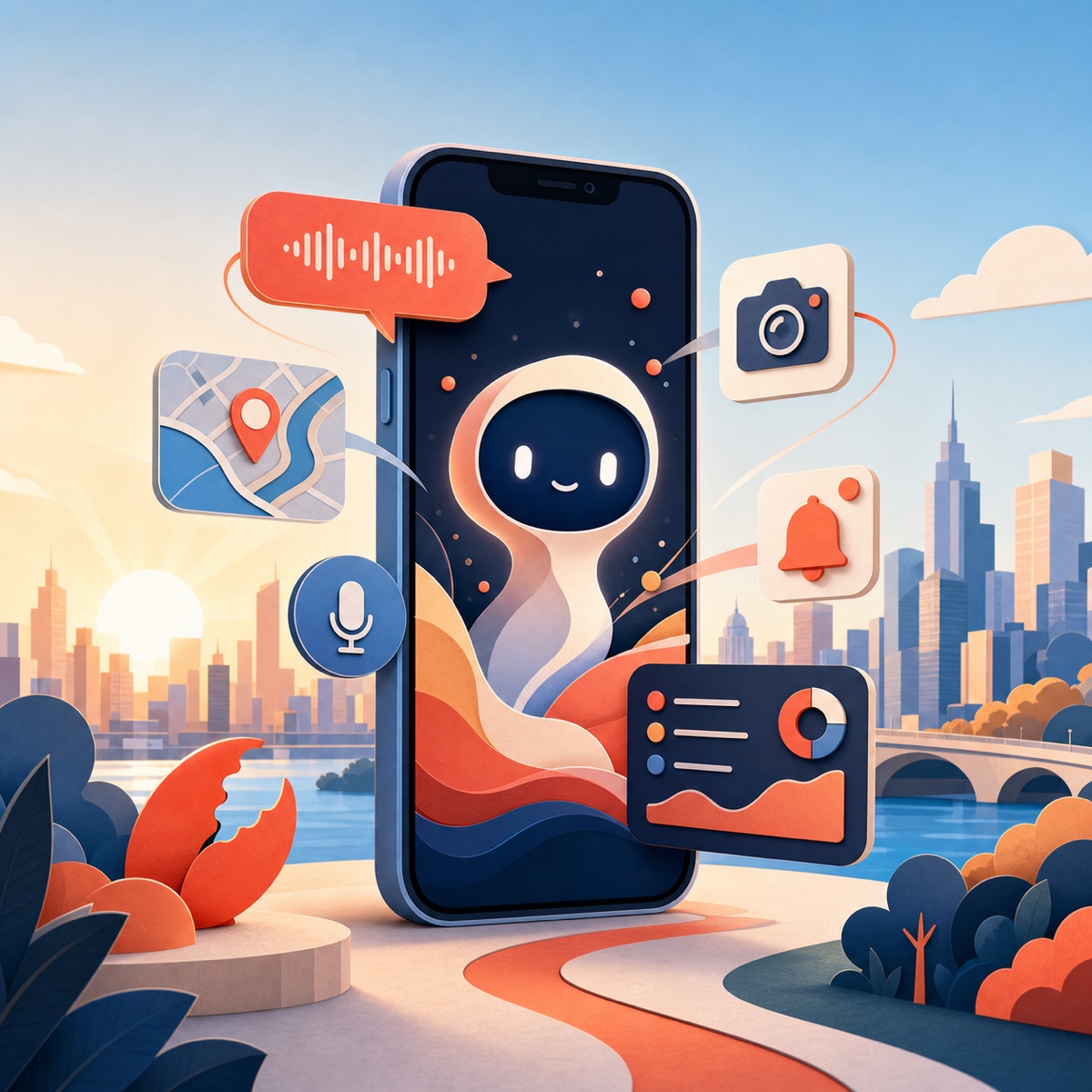
That sounds like a product-update sentence, so let us translate it into normal life. You can dictate a thought while walking. You can read recent conversations when the connection drops. You can queue a message underground and have it leave later. With permission, your phone can provide a location, camera image, screen capture, or notification surface to the agent. Voice and text share the same conversation, which means you do not have to explain the entire plot again whenever you switch modes.
That is the interesting bit. The assistant is beginning to travel with the person.
First, the architecture in plain English
The mobile app does not squeeze the whole OpenClaw Gateway into your phone. Your Gateway still runs on a Mac, Linux machine, or Windows through WSL2. The phone connects to it as a companion node.
Think of the Gateway as the kitchen and the mobile app as the waiter. The waiter takes your request, carries it to the kitchen, and brings the result back. With your permission, the waiter can also report what is happening at your table: where the phone is, what its camera can see, or whether you tapped a control.
This split is useful for two reasons:
- The long-running agent and its workspace stay on hardware you control.
- Phone capabilities remain behind the phone's own permission system and OpenClaw's device pairing.
On iPhone, the current app can expose Canvas, screen snapshots, camera capture, location, Talk mode, voice wake, and optional health summaries. It can also browse the selected agent's workspace in read-only mode. Android is similarly a companion node rather than a Gateway host, with chat, voice, Canvas, camera, location, screen, and notification capabilities depending on the device and permissions.
The distinction matters. Installing the mobile app does not mean your agent can silently roam through every sensor. Location is off by default, for example, and Android currently supports foreground location: OpenClaw must be open when the location request happens.
The small improvements that make it feel less like software
The glamorous demo is an agent looking through a camera and identifying something. The improvements you will appreciate on a rainy Tuesday are less cinematic.
On iOS, recent chats and transcripts have a protected read-only offline cache. Open the app with a patchy connection and the last known transcript appears immediately, then refreshes when the Gateway responds. Messages typed while disconnected can sit in a durable per-Gateway outbox and flush in order after reconnection. The queue is capped and messages expire rather than emerging days later like a social hand grenade.
That last detail is a sign of grown-up product thinking. A message that made sense on Monday morning may be bizarre on Wednesday afternoon.
Voice has also become more coherent. Chat is the shared text-and-voice surface: you can dictate a draft, leave a voice note, or use Talk mode for a live conversation. Finalised voice turns are appended to the same active session. Ask about a train by voice, then paste a hotel link in text, and OpenClaw can follow the thread without treating you as two unrelated customers.
There are still mobile realities. iOS may suspend background audio. Camera, screen, and Canvas calls can require the app to be in the foreground. Realtime speech may use network services. None of this is magic; it is a carefully negotiated truce between an always-on assistant and two mobile operating systems that enjoy putting background work to sleep.
Five everyday workflows worth trying
1. The walking brain-dump
Open Talk mode at the beginning of a walk and say:
I am going to unload a messy idea. Do not solve it yet. Ask one question at a time, then turn the useful parts into a short note with decisions, unknowns, and next actions.
This is much better than asking for instant brilliance. Walking thoughts are lumpy. Let the agent interview the idea before it tidies it. When you return to your desk, the result is already in the same session.
2. The “what am I looking at?” helper
With the camera permission enabled and the app in the required foreground state, a mobile node can capture an image for the agent. That opens practical, modest uses: reading a confusing appliance label, inventorying cables before a hardware-store trip, or identifying the model number on the back of a device.
Keep the request narrow:
Read the model number and ports visible in this photo. Do not guess anything obscured. Tell me which details you are uncertain about.
The uncertainty instruction is not decoration. Camera angles, glare, and tiny labels are excellent ingredients for confident nonsense.
3. The location-aware arrival note
Location is useful when it answers a question you have actually asked. “Find a quiet café within a ten-minute walk” is reasonable. Continuous location collection “just in case” is not.
OpenClaw's location command supports coarse, balanced, or precise requests, subject to the permission granted by the phone. For most discovery tasks, coarse or balanced location is plenty. Save precise GPS for the cases that need it, and turn it off again afterward.
4. The pocket approval desk
OpenClaw can do research and prepare work on the Gateway while you are away, then present the result on your phone. That creates an excellent division of labour:
- Agent: compare, summarise, draft, flag anomalies.
- Human: approve the purchase, send, booking, deletion, or publication.
The current Talk architecture reinforces this idea. High-impact voice-originated actions require a fresh spoken confirmation tied to the exact action. “Yes” is not a blank cheque carried forward from an earlier conversation.
5. The living status card
Canvas lets the agent render a live visual surface on a paired device. The useful version is not a dashboard with 47 gauges. It is one card that answers one recurring question:
- What do I need before leaving home?
- What is the status of tonight's journey?
- Which three tasks are genuinely waiting on me?
- Did the overnight backup finish?
If your personal dashboard looks like air-traffic control, your agent has accidentally invented another job for you.
A sensible first setup
Start with the current stable release rather than a beta unless you are intentionally testing. The official project recommends openclaw onboard for first-time setup, and the July release improved that guided flow.
Once the Gateway is healthy:
- Install the official app from the distribution channel documented for your platform.
- Connect over the same LAN, a private tailnet, or a manually configured host.
- Approve the device pairing from the Gateway.
- Enable one capability, not every capability.
- Test a harmless workflow and check the resulting session.
- Add notifications or voice only after the basic connection is boringly reliable.
“Boringly reliable” is the gold standard for infrastructure. Excitement belongs in what you do with it, not in wondering whether the same instruction ran three times.
You can inspect paired nodes from the Gateway:
openclaw nodes status
openclaw nodes describe --node "My Phone"
If a capability fails, read the error literally. A background-unavailable error often means exactly what it says: bring the app to the foreground. A permission error is a cue to review the phone setting, not to repeatedly prod the agent until it invents a workaround.
The permissions diet
The safest mobile agent is not the one with no abilities. It is the one whose abilities match its job.
For a voice notebook, you need microphone access; you probably do not need precise location. For a travel helper, foreground location may be useful; screen recording probably is not. For a home status display, Canvas and notifications might be sufficient.
Use this quick audit:
| Capability | Useful for | Question to ask first |
|---|---|---|
| Microphone and Talk | Dictation, hands-free conversation | Can I use push-to-talk instead of always listening? |
| Camera | Labels, objects, visual context | Could this frame include a face, address, or private document? |
| Location | Nearby search, travel context | Is coarse location accurate enough? |
| Screen capture | Troubleshooting, visual assistance | What secrets or messages are currently visible? |
| Notifications | Approvals, exceptions, task completion | Does this deserve interruption right now? |
| Health summaries | Personal wellbeing patterns | Where is this stored, and who can access the agent? |
The iOS workspace browser is read-only, which is exactly the sort of limitation to welcome. Being able to inspect a file on the train is handy. Accidentally rewriting a configuration file with one thumb is not.
What the mobile leap does not solve
A polished app does not turn a single-user assistant into a safe shared family service. OpenClaw's own multi-user documentation is blunt: anyone who can operate an agent can make it do anything that agent can do. Ownership avatars and session filters are usability features, not security walls.
Nor does mobile erase the need to protect the Gateway. Keep it on loopback or a private network path, use authentication, review paired devices, and resist casually exposing it to the public internet. A beautiful phone client connected to a carelessly exposed control plane is still a carelessly exposed control plane.
Finally, voice is not inherently more authoritative than text. It is merely faster and easier to say while carrying groceries. Confirm consequential actions and ask the agent to show its work.
The real shift: fewer context changes
The important mobile story is not that OpenClaw can access a camera or place a colourful Canvas on a screen. Phones have had clever assistants and attractive widgets for years.
The difference is continuity. Research can begin on the Gateway, surface as a notification, continue as a spoken exchange, accept a photo for context, and end with a human approval—all in one agent relationship with visible sessions and file-backed memory.
That reduces the tax of moving between places and modes. You do not have to become a systems operator whenever you leave your desk. You can simply ask, inspect, and decide.
OpenClaw is still a young, fast-moving project. The July mobile work has edges, foreground constraints, and platform differences. But it pushes the product toward a more interesting future: not an AI trapped in a chat box, and not an all-seeing robot in your pocket, but a capable assistant that shows up where the day is actually happening.
That is a much harder product to build—and a much more useful one to carry.
Sources and further reading
- OpenClaw 2026.7.1 release notes
- Official iOS app documentation
- Official Android app documentation
- Talk mode documentation
- Nodes and device capabilities
- Location command and permission model
Research checked against the official project documentation on July 25, 2026. Mobile availability and behaviour can change between releases.