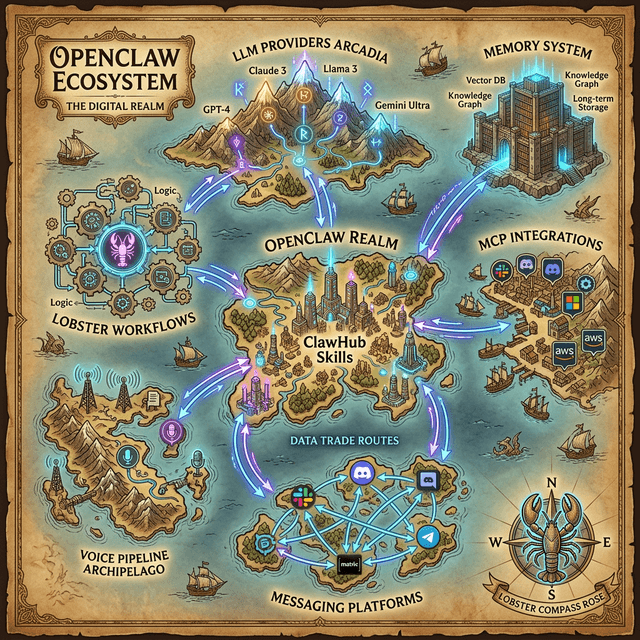
If you’re serious about using OpenClaw for real work, one of the biggest advantages is the ecosystem around it: docs, releases, community support, and a fast-moving contributor base.
The challenge is signal-to-noise. There are many channels, and not all of them are equally useful depending on whether you’re just getting started, deploying in production, or contributing code.
This guide is a practical directory you can bookmark and actually use.
1) Official Core Links (Start Here)
Official website
- https://openclaw.ai
- Best for: high-level overview, product direction, and current positioning.
Documentation
- https://docs.openclaw.ai
- Best for: installation, platform setup, tools, automation patterns, and config reference.
- Tip: if you only read one part first, read docs around heartbeat/cron, sessions/subagents, and security boundaries.
GitHub repository
- https://github.com/openclaw/openclaw
- Best for: source of truth for releases, issues, and merged changes.
- Tip: use “Watch → Custom → Releases” if you only want version updates.
2) Release Monitoring Workflow (Don’t Get Surprised)
Most OpenClaw friction happens when teams skip release visibility. Build a simple weekly routine:
- Check latest GitHub release notes.
- Identify changes touching your active channels/tools.
- Note any delivery/routing/auth changes.
- Test your critical workflows after update.
A 10-minute release review prevents hours of debugging later.
3) Community Channels (Use Each for the Right Job)
Discord
- https://discord.gg/openclaw
- Best for: real-time support, implementation questions, seeing how others solve edge cases.
- Good etiquette: include your environment and exact error context when asking for help.
X / Twitter
- https://x.com/OpenClaw
- Best for: announcements, shipping velocity, and ecosystem signals.
Reddit / long-form discussion
- Best for: broader discussion and scenario-based workflows.
- Use when you need nuanced comparisons, not quick support.
4) Contributor Path (If You Want to Build with the Project)
If you want to contribute:
- Read CONTRIBUTING guidelines in the GitHub repo.
- Pick issues labeled for newcomers or documentation improvements.
- Start with docs/tests before deep runtime changes.
- Submit small, scoped PRs first.
Contribution quality is less about massive features and more about reliable, reviewable improvements.
5) Production-Ready Bookmark Set
For operators running OpenClaw daily, keep these pinned:
- OpenClaw docs home
- Cron jobs docs
- Cron vs heartbeat docs
- Subagents docs
- Release page
- Your own internal runbook/checklist
This gives you both product reference and operational continuity.
6) Learning Path by Skill Level
Beginner
- Install + run status checks
- Set one daily cron briefing
- Add one practical skill
Intermediate
- Introduce isolated runs for noisy tasks
- Add fallback delivery behavior
- Start prompt/version discipline in files
Advanced
- Role-based agent patterns
- Sub-agent orchestration
- policy-driven tool boundaries and auditability
7) How to Evaluate Third-Party Guides and Claims
Use this quick rubric:
- Does it reference current docs/releases?
- Does it include reproducible setup steps?
- Does it mention safety constraints and approvals?
- Is it clear about what is opinion vs verified behavior?
If a guide fails these checks, treat it as inspiration, not authority.
8) Recommended Weekly Maintenance Rhythm
A lightweight weekly cadence for active users:
- Monday: check releases + major issue threads
- Mid-week: review your top 3 automations for quality drift
- Friday: update your internal runbook with any changes learned
This keeps your OpenClaw setup reliable as the ecosystem evolves.
9) Contact and Feedback
If you find broken links or outdated references in OpenClaw News resources, email:
We maintain this directory as a living reference and update it as the ecosystem changes.
Quick Link Index
- OpenClaw Website: https://openclaw.ai
- OpenClaw Docs: https://docs.openclaw.ai
- GitHub: https://github.com/openclaw/openclaw
- Community Discord: https://discord.gg/openclaw
- OpenClaw on X: https://x.com/OpenClaw
A strong resource stack won’t make your workflows for you—but it will keep you from wasting cycles on outdated advice. In a project that ships this quickly, that’s a major advantage.