OpenClaw was built as a personal AI assistant. One agent, one person, one machine.
But here's the thing about powerful tools — people find ways to share them.
Across Discord and Reddit, a growing number of users are running OpenClaw as a shared resource. Dev teams are routing tasks through multiple agent sessions. Families are using a single Gateway to coordinate household logistics. Startups are building entire operational workflows on top of OpenClaw's multi-session architecture.
This guide covers how to do it properly — from basic shared access to advanced multi-agent coordination.
The Gateway Architecture: Why Sharing Works
Before we get into setups, it helps to understand why OpenClaw is uniquely suited to collaborative use.
Unlike cloud-based AI assistants where each user needs their own account, OpenClaw runs on your own hardware. The Gateway is the central process that handles all the AI interaction, tool execution, and session management. It can run on a Mac, a Linux server, or even a Raspberry Pi.
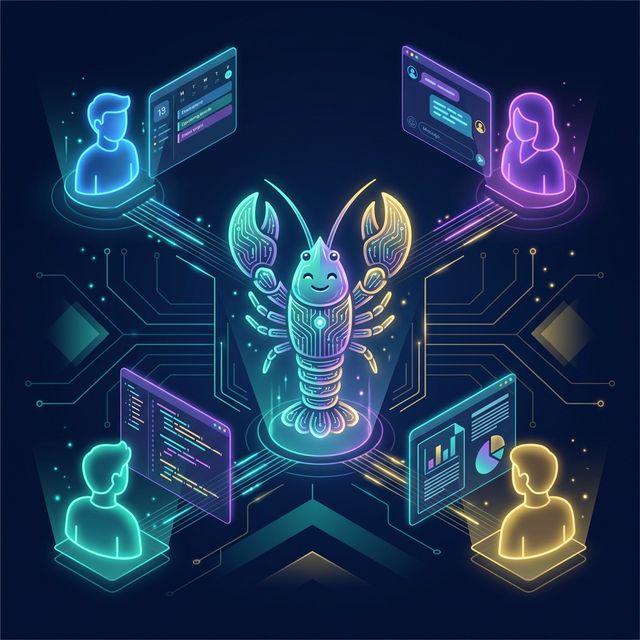
The key insight: one Gateway can serve multiple sessions simultaneously, each accessible through different messaging channels — WhatsApp, Telegram, Slack, Discord, Microsoft Teams, or WebChat.
This means your team doesn't need separate installations. Everyone connects to the same Gateway through whatever chat app they already use.
┌──────────────┐   ┌──────────────┐   ┌──────────────┐
│  Alice        │   │  Bob          │   │  Carlos       │
│  (WhatsApp)   │   │  (Slack)      │   │  (Telegram)   │
└──────┬───────┘   └──────┬───────┘   └──────┬───────┘
       │                  │                  │
       └──────────────────┼──────────────────┘
                          │
                 ┌────────▼────────┐
                 │   OpenClaw       │
                 │   Gateway        │
                 │   (your server)  │
                 └─────────────────┘
Each person gets their own session with its own memory and context. But because they share the same Gateway, they can also coordinate — and that's where things get interesting.
Setting Up Shared Access
Step 1: Choose Your Hosting
For a team setup, you want the Gateway running somewhere everyone can reach. The three most common options:
- Home server or NAS — Free, fast, but requires port forwarding or a VPN
- Small cloud instance — A $5-10/month VPS on DigitalOcean or Hetzner works perfectly
- Tailscale mesh — The recommended approach. Every team member installs Tailscale, and the Gateway is accessible over a secure private network without exposing anything to the internet
OpenClaw has first-class Tailscale support via Tailscale Serve and Funnel, making this almost zero-configuration.
Step 2: Connect Your Channels
Each team member connects through their preferred messaging app. The setup is straightforward:
- Slack: Create a bot in your workspace, add the token to
openclaw.json - Discord: Add the bot to your server, configure channel-specific activation
- Telegram: Create a bot via BotFather, add the token
- WhatsApp: Connect via the WhatsApp Business API or the built-in QR pairing
The beauty is that each channel creates its own session. Alice's WhatsApp conversation is completely separate from Bob's Slack thread — different context, different memory, different conversation history.
Step 3: Configure Group Activation
For shared channels (like a team Slack channel or a Discord server), you'll want to control when the agent responds. OpenClaw supports two activation modes:
/activation mention— The agent only responds when @mentioned (recommended for busy channels)/activation always— The agent responds to every message (useful for dedicated bot channels)
This is configured per-channel, so you can have a #general channel where the agent only responds when mentioned, and a dedicated #openclaw channel where it's always listening.
Agent-to-Agent: The Real Superpower
Here's where OpenClaw's team capabilities go beyond simple shared access. The sessions_* tools let agents in different sessions talk to each other.
How It Works
Every active session (whether it's Alice's WhatsApp thread, a Slack channel, or a background cron job) can:
sessions_list— Discover all active sessions and their metadatasessions_history— Fetch the transcript from another sessionsessions_send— Send a message to another session
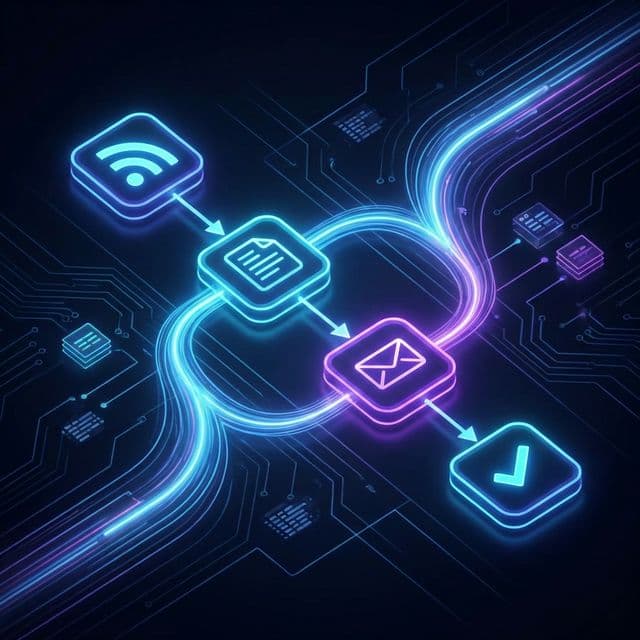
This creates a lightweight multi-agent architecture. You don't need a complex orchestration framework — sessions can simply message each other.
Example: The Research → Review Pipeline
Imagine a three-person content team:
- Alice messages her OpenClaw session: "Research the latest OpenClaw release notes and draft a blog post about the key changes."
- Alice's agent does the research, writes the draft, and then uses
sessions_sendto send the draft to Bob's session with the message: "Here's a draft blog post for review. Please check for technical accuracy." - Bob gets a notification in Slack. His agent has context on the draft and can answer questions about it. Bob reviews, makes comments, and tells his agent: "Looks good, but change the section on sandboxing. Then send it to Carlos for final approval."
- Bob's agent updates the draft and forwards it to Carlos's session via
sessions_send.
Each person works in their own chat app, at their own pace, with their own agent — but the work flows seamlessly between them.
Example: The Family Household
A family of four shares one OpenClaw instance on a Raspberry Pi:
- Parent 1 (WhatsApp): Manages the grocery list, meal planning, and household budget
- Parent 2 (Telegram): Coordinates kids' activity schedules and school events
- Kid 1 (Discord): Uses the agent as a homework tutor (with sandbox restrictions — more on this below)
- Kid 2 (WebChat): Asks random questions because they're 9
Each family member has their own session, but the agents can coordinate. Parent 1 asks "What activities do the kids have this weekend?" and their agent uses sessions_history to check Parent 2's scheduling session for the latest information.
Security: Sandboxing Shared Access
When multiple people share a Gateway, security matters. You don't want a guest user — or a curious child — accidentally running commands that affect the host system.
OpenClaw solves this with sandbox mode. In your openclaw.json:
{
  "agents": {
    "defaults": {
      "sandbox": {
        "mode": "non-main"
      }
    }
  }
}
This setting runs all non-main sessions (basically everyone except the primary owner) inside per-session Docker containers. Each session gets its own isolated environment where:
- Allowed by default:
bash,read,write,edit,sessions_list,sessions_history,sessions_send - Blocked by default:
browser,canvas,nodes,cron,discord,gateway
The main owner session retains full access, while everyone else operates in a restricted sandbox. You can customise the allowlist and denylist per session type, so your dev team might get browser access while guest users get read-only tools.
Practical Team Workflows
Standup Bot
Configure a cron-triggered agent that runs every morning at 9 AM:
- Uses
sessions_listto find all active team sessions - Sends each person a message via
sessions_send: "What are you working on today?" - Collects responses and posts a compiled standup summary to the team Slack channel
Total setup time: about 15 minutes with a cron skill and a simple pipeline.
Shared Knowledge Base
Use OpenClaw's persistent workspace (~/.openclaw/workspace) as a shared knowledge base:
- Team members can tell their agents to save notes, decisions, or reference documents to the workspace
- Anyone's agent can read from the same workspace
- Combine with
AGENTS.mdto give all agents shared context about the team's projects, conventions, and preferences
On-Call Rotation
For dev teams, set up an on-call workflow:
- The agent tracks who's on call this week (stored in a JSON file in the workspace)
- When an alert comes in via a webhook, the agent routes it to the on-call person's session via
sessions_send - The on-call agent has context on the system, can pull logs, and can draft incident responses
Device Nodes: Extending Reach
For teams with members on different devices, OpenClaw's node system extends the Gateway's capabilities across machines:
- A macOS node can execute system commands, take screenshots, send notifications, and access the camera
- An iOS node can handle mobile-specific actions
- An Android node adds another device surface
Nodes connect to the Gateway over the network and advertise their capabilities. When a session needs to perform a device-specific action, the Gateway routes it to the appropriate node via node.invoke.
This means your team's shared agent can interact with devices across your entire network — send a notification to someone's Mac, check a file on the office server, or trigger an automation on someone's phone.
Getting Started
Here's the minimum viable team setup:
- Install OpenClaw on a shared machine (Linux VPS or home server)
- Set up Tailscale on the server and all team members' devices
- Connect 2-3 channels (Slack + WhatsApp is a popular combo)
- Enable sandbox mode for non-main sessions
- Add a shared
AGENTS.mdto the workspace with your team's context
From there, experiment. The session tools make it naturally collaborative — you don't need to architect a complex system upfront. Just start using it, and workflows will emerge.
What's Next
The OpenClaw team has hinted at more first-class team features on the roadmap, including role-based permissions, shared memory across sessions, and a team dashboard in the WebChat interface. But the foundation is already remarkably capable.
If you've built a team workflow or multi-agent setup, we'd love to hear about it. Share your setup in the OpenClaw Discord #showcase channel or tag us @OpenClaw_News on X.
The lobster works better with friends. 🦞