One of the most persistent myths in the world of local artificial intelligence is that you need an enterprise-grade server rack or a workstation costing tens of thousands of dollars to get in the game. While it is true that training foundation models requires massive compute power, running (or "inferencing") them is a completely different story.
OpenClaw, with its efficient architecture and support for modern quantization techniques, is surprisingly lightweight. In fact, one of our core philosophies is accessibility: powerful AI automation should be available to everyone, not just those with an NVIDIA H100 in their basement.
In this guide, we will explore exactly how to run OpenClaw on a budget. We will break down the critical components, identifying where you can save money and where you absolutely shouldn't. We will also provide three distinct "build tiers" ranging from under $100 to the "sweet spot" of consumer hardware.
The Bottleneck: It's Not What You Think
When most people think of AI hardware, they think of raw GPU speed (FLOPS). While a fast GPU helps your agent "think" faster, it is rarely the hard constraint for a budget build.
The real bottleneck is Memory (VRAM/RAM) and Memory Bandwidth.
Large Language Models (LLMs) are essentially giant files containing billions of parameters. To run a model, the entire thing usually needs to be loaded into fast memory. If you try to run a model that is 10GB in size on a graphics card with only 8GB of VRAM, it simply won't work (or it will offload to your much slower system RAM, bringing your agent to a crawl).
Therefore, the golden rule of budget AI hardware is: Capacity is King.
Understanding Quantization: Your Best Friend
Before we talk about hardware, we must talk about software optimization. "Quantization" is the process of reducing the precision of the model's parameters.
A standard model usually stores numbers in 16-bit floating-point format (FP16). By converting these to 8-bit, 4-bit, or even 2-bit integers, we can dramatically reduce the memory required with often negligible distinct drops in intelligence.
- FP16 (Standard): Requires ~2GB VRAM per 1 billion parameters.
- 4-bit (GGUF/ExLlama): Requires ~0.7GB VRAM per 1 billion parameters.
This means a powerful 8-billion parameter model like Llama 3, which effectively powers many OpenClaw agents, can fit comfortably into just 6GB of VRAM/RAM when quantized. This opens the door to incredibly affordable hardware.
Tier 1: The "Shoestring" Setup (< $100)
Can you run an autonomous agent for the price of a nice dinner? Yes, you can.
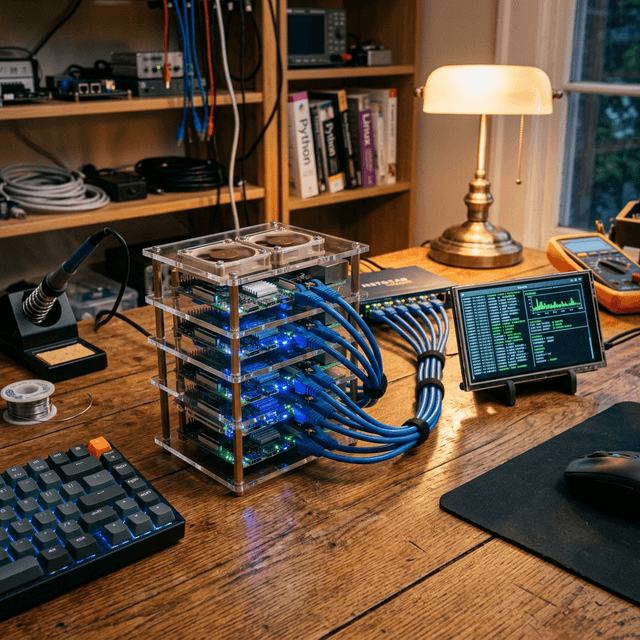
The Hardware: Raspberry Pi 5 (8GB) or Orange Pi 5
The latest generation of Single Board Computers (SBCs) has crossed a critical performance threshold. The Raspberry Pi 5 with 8GB of RAM is capable of running 7B and 8B parameter models at a usable speed (2-4 tokens per second).
While this isn't fast enough for real-time chat, it is perfectly adequate for an autonomous agent. Remember, OpenClaw runs in the background. If it takes 30 seconds to read your email and draft a reply while you are sleeping or working on something else, does the speed really matter?
Recommended Specs:
- Board: Raspberry Pi 5 (8GB Model)
- Cooling: Active Cooler (Mandatory - AI workloads pin the CPU at 100%)
- Storage: High-end SD Card (A2 class) or, ideally, an NVMe SSD via the PCIe hat.
The Strategy: CPU Inference
On this tier, you won't be using a GPU. You'll use llama.cpp, a miracle of software engineering that runs LLMs efficiently on standard CPUs (especially ARM processors like those in the Pi and Macs). OpenClaw supports llama.cpp natively.
Pros:
- Extremely cheap.
- Low power consumption (run it 24/7 for pennies).
- Silent and tiny form factor.
Cons:
- Slow generation speeds.
- Limited to smaller models (Phi-3, Gemma-2-9b, Llama-3-8b).
Tier 2: The "Trash Can" Mac (Used Market Gem)
Our favorite budget recommendation isn't a new PC components list; it's a specific generation of used hardware.
The Hardware: Used Mac Mini M1 (8GB or 16GB)
This is arguably the best value in local AI right now. Apple's unified memory architecture is a cheat code for LLMs. The GPU and CPU share the same pool of high-speed RAM.
An M1 Mac Mini with 16GB of RAM can often be found on eBay or Facebook Marketplace for $400-$500. It can run a quantized Llama-3-8B model at blazing speeds (20-40 tokens per second), which feels instantaneous.
Even the base 8GB model is surprisingly capable if you stick to highly optimized models like Microsoft's Phi-3-Mini.
Why Apple Silicon Rocks for OpenClaw: OpenClaw's backend can leverage Metal (Apple's graphics API) to offload the heavy lifting to the Neural Engine and GPU cores. It is silent, efficient, and requires zero "driver hacking" compared to getting older NVIDIA cards to work on Linux.
Alternative: Used NVIDIA Tesla P4 (8GB VRAM). These data center cards cost ~$80 on eBay. However, they require a server chassis or a 3D-printed fan shroud for cooling, making them a project for tinkerers.
Tier 3: The Consumer Sweet Spot ($800 - $1200)
If you are building a dedicated PC for OpenClaw and want robust performance, you want NVIDIA. CUDA is still the industry standard for AI support.
The Crown Jewel: GeForce RTX 3060 (12GB) & RTX 4060 Ti (16GB)
The RTX 3060 12GB is legendary in the local LLM community. Why? Because it offers 12GB of VRAM for roughly $280 brand new (and less used).
12GB is a magic number. It allows you to run:
- Llama-3-8B at full precision (or very high quantization) with massive context windows (remembering huge amounts of conversation history).
- Command R (optimized for RAG and tool use) with decent quantization.
- Mixtral 8x7B (with aggressive offloading).
If you can stretch your budget, the RTX 4060 Ti 16GB version ($450) is the ultimate mid-range card. 16GB allows you to run significantly smarter models smoothly.
The Rest of the Build: Don't overspend on the CPU. A modern Core i5 or Ryzen 5 is plenty. Instead, funnel that money into:
- System RAM: Get at least 32GB (DDR4 is fine and cheap). If your model doesn't fit mostly in VRAM, it spills over to system RAM. Having 64GB of fast system RAM allows you to run massive 70B parameter models at "reading speed" (2-5 t/s) by splitting the load.
- Storage: NVMe SSDs are crucial for model loading times. Loading a 20GB model from a spinning hard drive takes practically forever.
The "Dual GPU" Hack
Here is a secret: You don't need SLI or NVLink. For LLM inference, you can often just stick two cheap GPUs in the same motherboard.
Buying two used RTX 3060 12GB cards ($200 each) gives you 24GB of VRAM. This rivals a flagship RTX 3090/4090 ($1500+) in capacity, even if it's slower in bandwidth. 24GB is enough to run very smart, unquantized models that can handle complex OpenClaw multi-step reasoning tasks without breaking a sweat.
Summary: What Should You Buy?
To wrap up, here remains our definitive advice based on your budget:
- Strict Budget ($100): Grab a Raspberry Pi 5 (8GB). Run OpenClaw with Phi-3-Mini. Use it as a slow-but-steady automated assistant for checking emails, summarizing RSS feeds, and basic research.
- Ease of Use ($400): Hunt for a used Mac Mini M1 (16GB). It’s quiet, pretty, and installs OpenClaw effortlessly. It’s the "it just works" option.
- Performance/Dollar ($700+): Build a PC with a used RTX 3090 (24GB) if you can find a bargain, or a new RTX 3060 (12GB). This gives you the VRAM headroom to experiment with the exciting new models coming out every week.
OpenClaw is designed to scale with you. You can start on a Raspberry Pi today, migrate your config.yaml to a powerful workstation next year, and your agent will simply wake up smarter and faster, ready to get back to work.
Stop waiting for the "perfect" hardware. The best AI agent is the one running on the hardware you have right now.